ChatGPT Wrapped 2025:用 1 條 Prompt 生成「年度 AI 使用回顧」(像 Spotify Wrapped)
ChatGPT Wrapped 教學:用一條 Prompt 生成你的年度 AI 使用回顧
「ChatGPT Wrapped」係近排喺外國社群好 hit 嘅玩法:用一條 Prompt 叫 ChatGPT 幫你整理全年對話風格、常問主題、怪問題同短暫沉迷,輸出成一份可分享嘅個人年度回顧,概念就好似 Spotify Wrapped 一樣。
使用情景
- 工具:ChatGPT(Web / App)
- 效果:生成一份「年度回顧報告」,包括:
- 用戶人設(User Archetype)
- Top 5 常問主題
- 最常見需求類型
- 最奇怪問題與短暫沉迷
- 備註:
- 必須開啟 Memory(記憶功能)
- 同時啟用 Reference chat history
- 如未開啟,只會根據「當下對話」作推斷,準確度會明顯下降
Step-by-step 教學
0) 先準備:進入 ChatGPT(需 VPN)
- Web:https://chatgpt.com
- 手機:ChatGPT App(iOS / Android)
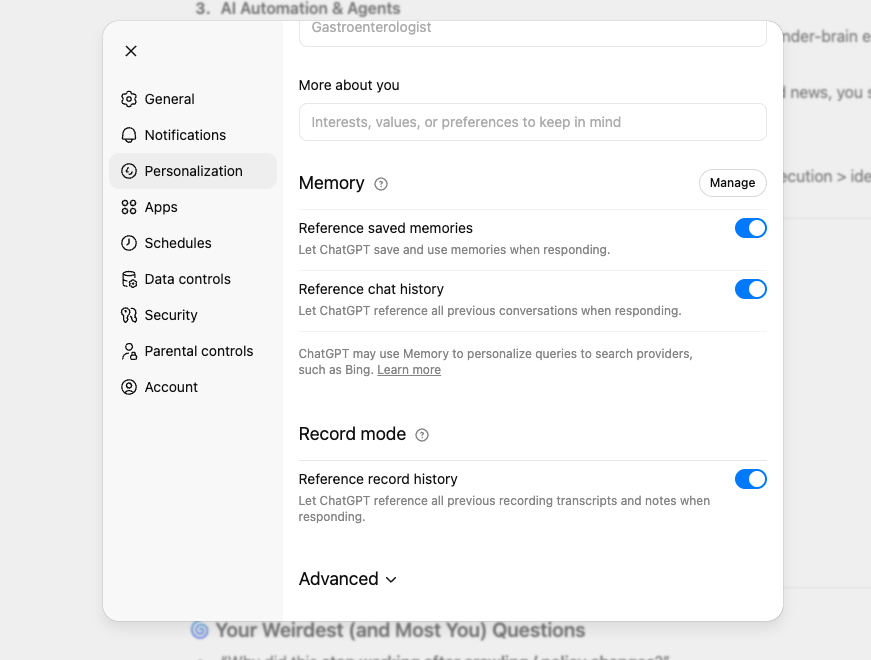
1) 先確認有否開啟 Memory(關鍵一步)
目的:令 ChatGPT 真正「記得你」,先可以用全年對話脈絡生成 Wrapped。
在 Web(chatgpt.com)
- 右上角點擊 Profile / 設定
- 進入 Settings(設定)
- 找到 Memory(記憶)
- 開啟 Memory = On
請同時確認以下選項已開啟:
- ✅ Reference chat history(引用聊天記錄)
- ✅ Reference saved memories(引用已儲存記憶)
在 App(ChatGPT)
- 右上角/左上角進入 Settings(設定)
- 找到 Memory(記憶)
- 開啟 Memory = On
- ✅ Reference chat history
- ✅ Reference saved memories
如你見唔到 Memory,可能因為帳號、地區、版本或使用模式未支援。你仍然可以使用同一條 Prompt,但生成結果會較接近「估計版」Wrapped。
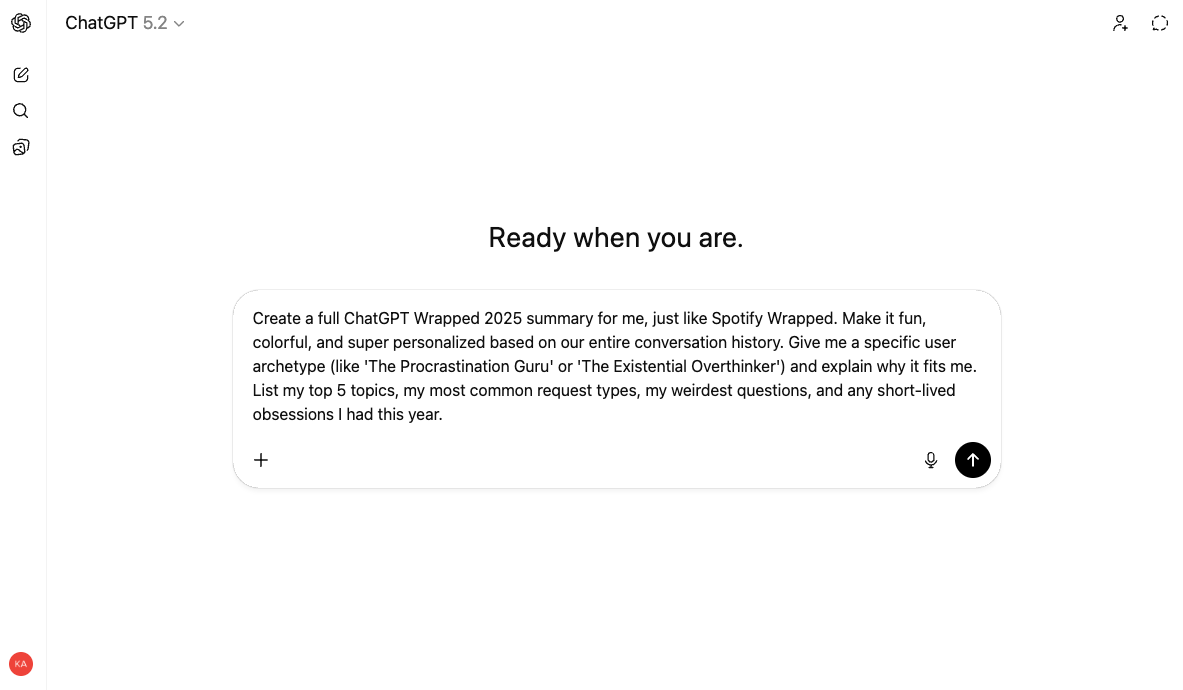
2) 貼上原版 Viral Prompt(可直接用)
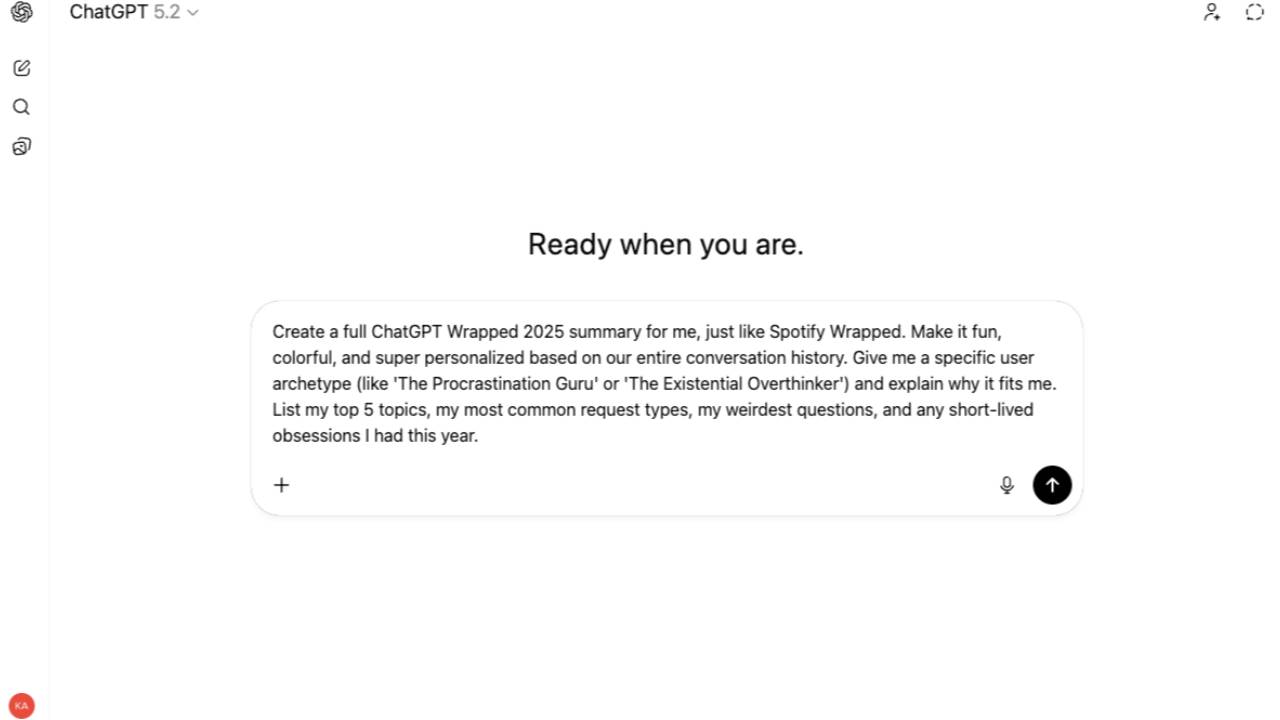
將以下內容原封不動貼到 ChatGPT 對話框:
Create a full ChatGPT Wrapped 2025 summary for me, just like Spotify Wrapped.
Make it fun, colorful, and super personalized based on our entire conversation history.
Give me a specific user archetype (like 'The Procrastination Guru' or 'The Existential Overthinker')
and explain why it fits me.
List my top 5 topics, my most common request types, my weirdest questions,
and any short-lived obsessions I had this year.
3) 生成後,進行「一鍵升級」(可選)
如想更適合分享到 Threads/IG,或避免內容太空泛,可在同一對話追加以下指令:
加強可分享格式(Threads / IG)
最後請附上一段 120–180 字可直接貼上社交平台嘅總結貼文(唔好用過多 hashtag)。
加強具體度(避免太概括)
每個 Top 5 主題都請給 1 個你記得我問過嘅具體例子;
如你無法確定,請標註為「推測」。
只回顧指定時間(例如 2025 下半年)
只回顧 2025 年 7–12 月,其他年份不要納入。
總結
如果你想持續追蹤實用 AI 玩法、可直接複製嘅 Prompt,以及點樣將 AI 變成真正常用工具,可以關注我:
- Instagram:https://www.instagram.com/kayly.ai
- Threads:https://www.threads.net/@kayly.ai